
Hands-on 01: Same Company, Same Person, Same Call. 3 min 19 s vs 18 s.
by Oscar Uribe
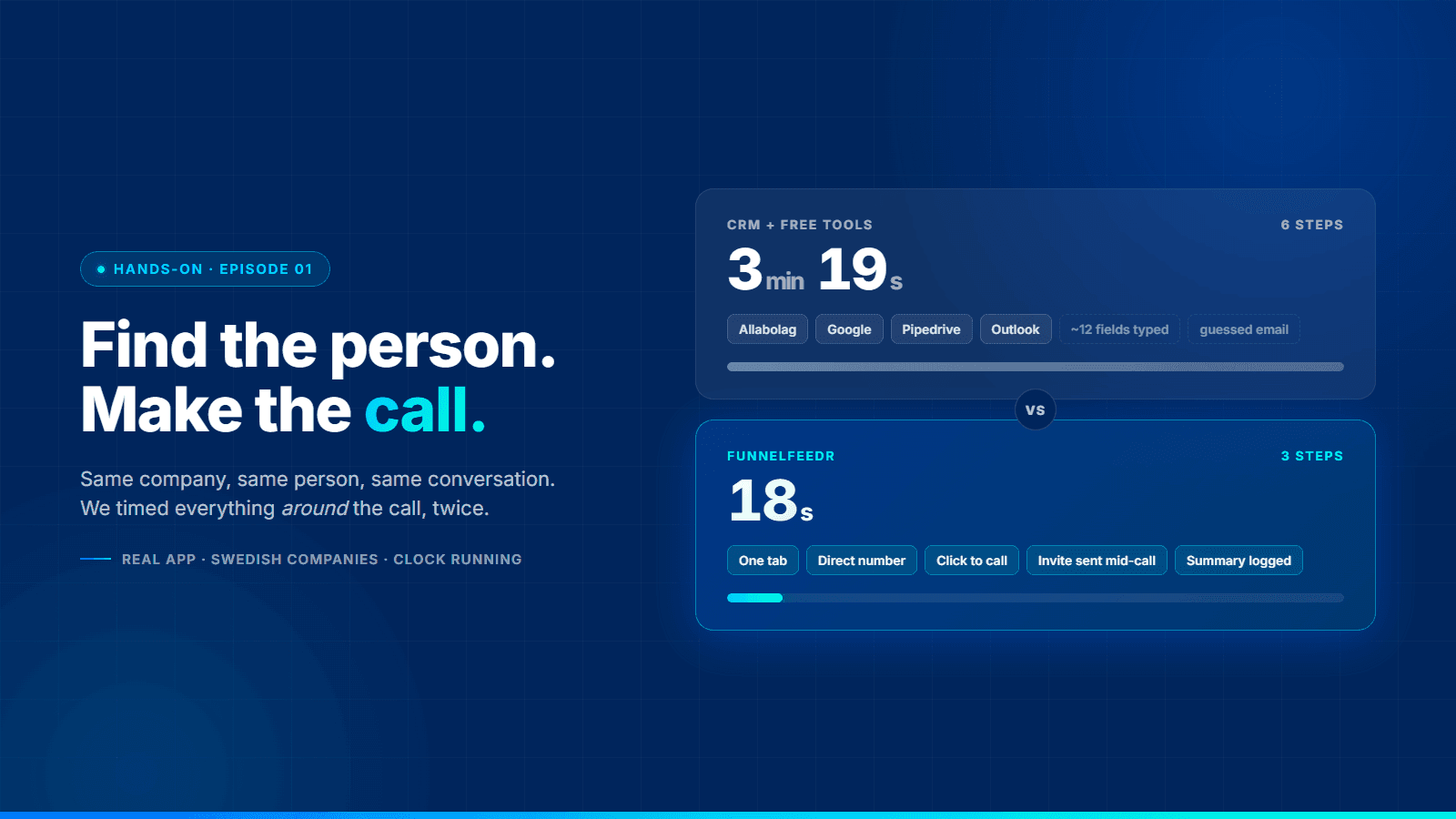
We've spent the summer writing about how sales should work: where the process should live, why contact lists go stale, where deals die. Thirty-odd posts of thinking. This series is the other half: the product, on screen, doing a job, with a clock running. No slides, no mock data, no "imagine that…". If it looks slow, it's slow.
Episode one is the most basic job in outbound. Find the right person at a company you've never spoken to, call them, and leave your CRM in a state a colleague could pick up tomorrow.
About the video. The companies are Swedish, and the "how most people do it" side uses the tools a Swedish rep actually reaches for: Allabolag (the public company-information site), Google, Pipedrive and Outlook. If you sell in Norway, Denmark or Finland, swap in Proff, CVR or Finder. The steps are identical.
The rule: the clock only runs outside the call
The setup is deliberately unfair to us. Same company (a large Swedish energy group; you'll see which one), same person, and the same roughly three-minute conversation on both sides. The conversation itself doesn't count. We wanted to measure the thing nobody measures: all the work around the call. Finding, typing, switching tabs, booking.
Both rounds were done by the same person, who knows both stacks well. There's no fumbling on the CRM side to make it look bad; it's a competent rep doing what competent reps do every day.
Round one: CRM and the free tools, six steps
1. Find the company (0:00 to 0:15). Allabolag. Search the name, pick the right legal entity from the list of lookalikes, open the company page. You get turnover, employees, address and the board. Good data; it's registry data. But it's company data. There's a switchboard number and a list of directors, and neither is the person you need.
2. Find the right person (0:15 to 0:47). New tab. Google the company plus "sales director". Google's AI overview offers a name, a title and, this time, a phone number. LinkedIn confirms the title. On a good day this works. On a normal day the number is a switchboard, the title is two years old, or the person left in spring.
3. Create the company in the CRM (0:47 to 1:43). Pipedrive. New organisation: name, org number, address, owner. Copy from Allabolag, paste into Pipedrive, repeat.
4. Create the contact (1:43 to 2:07). New person, linked to the organisation. Name, title, phone, the email address you don't have yet.
5. Create the call activity and take notes by hand (2:07 to 2:31, plus the call). "Cold call to Hassan." The call runs about three minutes. Notes are typed live in the activity, which means half-typed, and finished from memory after hanging up. Save, mark done.
6. Book the meeting, twice (2:31 to 3:19). Once in the CRM as a follow-up activity, once in Outlook as an actual invite. The invite needs an email address, and the rep doesn't have one, so the video shows what everyone does: guess the format from the company domain and hope it bounces fast if it's wrong.
Done. Time outside the call: 3 min 19 s. Four tools, two browser tabs open at all times, around a dozen fields typed by hand, and a meeting invite sent to an address that may or may not exist.
Round two: Funnelfeedr, three steps
1. Open the company (0:00 to 0:07). Same company. The record already has what Allabolag has: the company layer in Funnelfeedr comes from the same registries. Under it sits the part Allabolag doesn't have: the people, with roles.
2. Right person, direct number, call (0:07 to 0:13). The contact list shows the roles you're after: sales and business development directors, the customer director. Numbers are masked until you need one. Click to reveal, click to call. The call runs in the browser, on the company record, with the coaching panel open at the bottom. The clock stops at 0:13 and stays there for the whole conversation.
During the call: send the meeting invite. The prospect says yes to a demo. Instead of "I'll send you something", the rep opens the meeting dialog on the same screen, picks a slot from their own calendar, and the invite goes out to the contact's actual email address while they're still on the line. "Meeting booked" pops up before the goodbye.
3. Hang up, the summary writes itself (0:13 to 0:18). The call is logged automatically against the person and the company: duration, recording, outcome. A call summary is generated. The whole summary, and a link to the call itself, syncs straight to the CRM through the native Pipedrive or HubSpot integration. Nobody types an org number.
Done. Time outside the call: 18 s. One tab. Zero fields typed by hand. A meeting in both calendars, with an invite to a real address.
Side by side
| CRM and free tools | Funnelfeedr | |
|---|---|---|
| Time outside the call | 3 min 19 s | 18 s |
| Tools open | Allabolag, Google, Pipedrive, Outlook | One |
| Where the person came from | Google's AI overview, checked on LinkedIn | On the company record, with role |
| Where the number came from | Same Google result | Revealed on the record, dialled from it |
| Fields typed by hand | Around a dozen | None |
| Call notes | Typed live, finished from memory | Generated summary, synced straight to the CRM |
| Meeting invite | Guessed email address | Sent to the real one, during the call |
| What's in the CRM afterwards | Whatever got typed | Company, person, call, summary, meeting |
What actually made the difference
Three things, and none of them is "typing faster".
The person is on the company record. Allabolag stops at the company and its board. Google fills the gap with whatever is indexed, which is fine for a Customer Director at a large energy group and useless for a sales manager at a 40-person installer in Västerås. Funnelfeedr's company layer is the same registry data, but underneath it sit the people and their roles, with direct numbers where the company has published one. That last clause matters: the numbers come from what the company itself put on its own channels, not from someone's private mobile scraped off a profile. Not every company has a direct line for every role. When it does, it's one click away instead of a search.
The call happens where the record is. This is the quiet one. When you call from the same screen that holds the company and the person, logging isn't a step. Recording, duration, outcome and summary attach themselves to the right place because there's only one place. That's also why the coaching panel can sit there: it knows who you're talking to and what your best reps say when this objection comes up. And it's why what ends up in the CRM is a summary a manager can read, not three lines typed one-handed during the call.
The meeting gets booked while the prospect is still saying yes. The Outlook detour on the left isn't just 48 seconds. It's a guessed email address, an invite that might bounce, and a follow-up that goes out after the buyer's attention has moved on. On the right, the invite reaches a verified address before the call ends. Show rates are decided in that gap, and we've written about what a missed show costs before.
Does three minutes matter?
Once, no. The point is what it multiplies by.
Even for the calls nobody answers, steps one to four still happen. That's roughly two minutes of finding and typing against about thirteen seconds, on every dial. For a rep on 40 dials a day, the difference between the two rounds is over two hours. Not two hours of "efficiency"; two hours of dialling, or of preparing properly for the calls that matter.
And the second multiplier is quieter than the first. After a month, the CRM on the left holds whatever forty reps' worth of tired thumbs managed to type. The CRM on the right holds every call, summarised the same way, on the right record. When a rep leaves, one of those pipelines can be handed over. We've argued before that the sales process should live in the system rather than in the reps' heads. This is what that looks like on a Tuesday.
Where this sits in Funnelfeedr
Everything in round two is the Prospect seat: the company and contact data, the credits to reveal numbers, click-to-call with live coaching, and the booking pages behind the meeting invite. The Close seat has the same click-to-call and summaries, aimed at reps who run deals rather than fill pipeline. Both sync natively to Pipedrive and HubSpot, so the CRM you saw on the left isn't the enemy. It's where the record ends up either way; the question is who types it.
Next episode: working a list instead of a single company. Fifty companies, one dialler session, and what the queue does when nobody picks up.
Want to run this on your own ICP instead of ours? Bring a segment and a stopwatch. Book a demo and we'll do round two live →